
Convert Payment App Statements to CSV
Cash App, Venmo, and PayPal all provide PDF statements — but getting that data into a spreadsheet isn't always straightforward. Built-in CSV exports have date limits, inconsistent formatting, and sometimes just aren't available for older transactions. Our converter takes your downloaded PDF statements from any of these platforms and extracts every transaction into a clean CSV file, ready for Excel, Google Sheets, QuickBooks, or any accounting software.
With the IRS $600 threshold for 1099-K reporting, freelancers and small businesses need accurate records of payment app income. Whether you're preparing taxes, reconciling accounts, or just tracking spending, upload your statement PDF below and get structured data back in seconds.
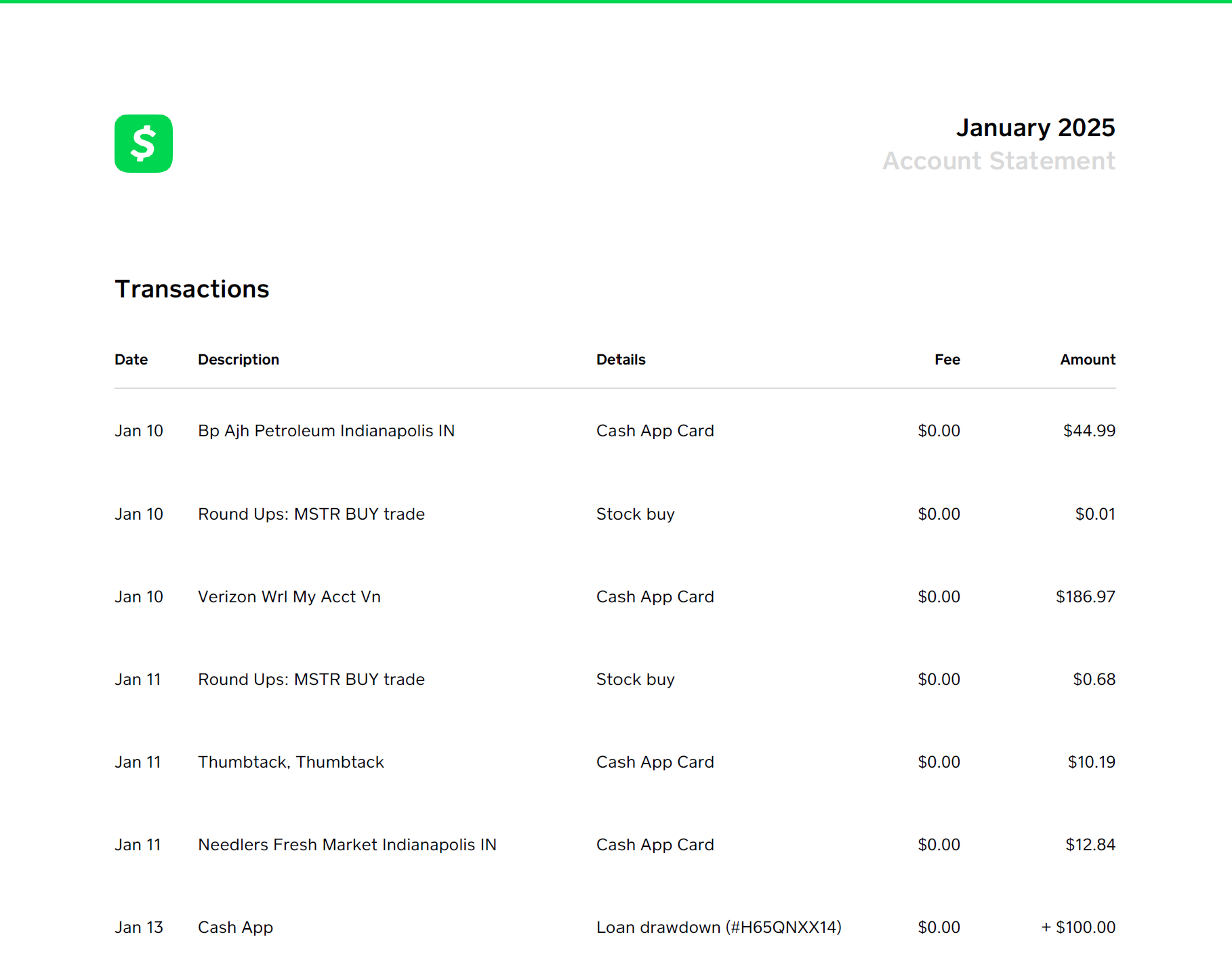
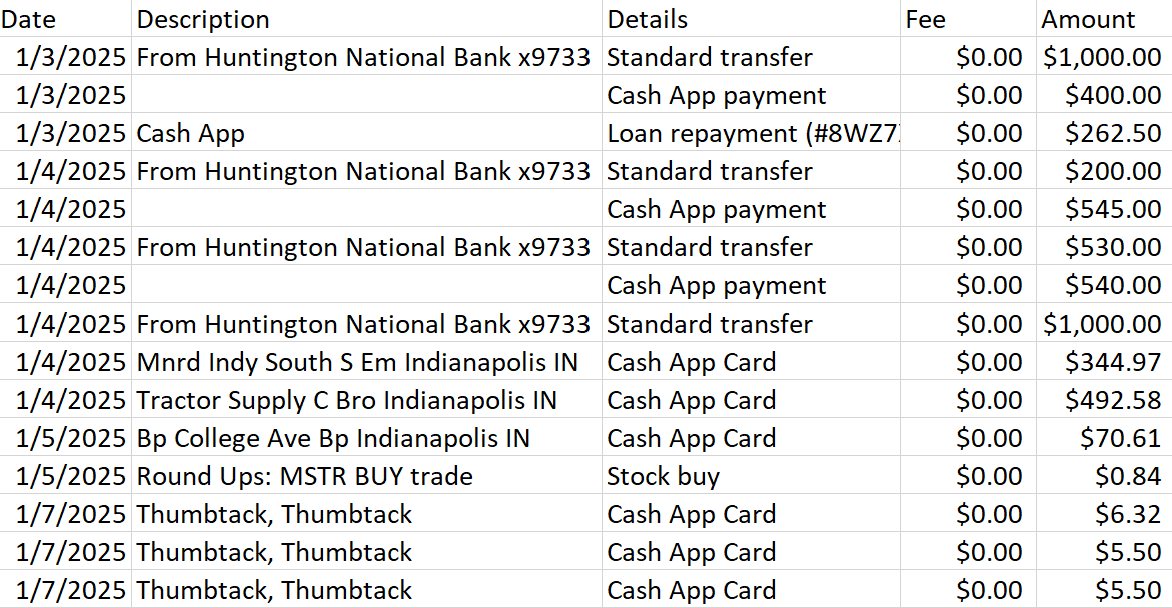
Cash App Statement to CSV
Cash App's in-app CSV export is limited and sometimes unavailable for older transactions. If you've downloaded your monthly statement PDFs, our converter processes them and gives you the full transaction history in spreadsheet format — date, description, amount, and transaction type.
How to download your Cash App statement
In the Cash App mobile app: tap your profile icon → Statements → select the month → Download PDF. You can also access statements through Cash App's website at cash.app/account. For business accounts, statements are available under the Business tab with additional details like customer notes and payment references.
🧾 Tax Preparation
Freelancers and gig workers receiving payments via Cash App need transaction records for income reporting.
📊 Business Bookkeeping
Reconcile Cash App transactions against bank records and import into QuickBooks or Xero.
Venmo Statement to CSV
Venmo offers a built-in CSV export, but it maxes out at 90 days. For longer history, download your monthly PDF statements — Venmo keeps them going back several years with no time restriction.
Option 1: Built-in export (up to 90 days)
Go to venmo.com → sign in → profile → Statements → select date range → Download CSV. Quick, but limited to 90 days and includes extra metadata columns you may not need.
Option 2: PDF statement (no time limit)
venmo.com → profile → Statements → select month → Download PDF. Then upload to our converter. You get clean date, description, and amount columns — no 90-day limit.
Tax Reporting
IRS $600 threshold for 1099-K — accurate income records are essential.
Splitting & Reconciliation
Track shared expenses for rent, vacations, or group purchases.
Business Accounting
Import Venmo payments into QuickBooks or spreadsheets.
PayPal Statement to CSV
PayPal offers a direct CSV download under Activity → Download, but it maxes out at 3 months and the format can be difficult to work with. Our converter handles PDF statements and produces consistent output regardless of the statement period — including fee breakdowns for business accounts.
How to download your PayPal statement
Log in to paypal.com → profile/settings → Statements (under Financial information) → select the period → Download PDF. For business accounts, activity statements include itemized fees per transaction.
🛒 eCommerce & Online Sellers
eBay, Etsy, and online sellers can reconcile sales, fees, and refunds from PayPal statements.
👨💻 Freelancers & Contractors
Track client payments for accurate income reporting and quarterly estimated taxes.
💼 QuickBooks Import
Convert PayPal transactions to QuickBooks-ready CSV without manual entry.
📊 Fee Analysis
Calculate total PayPal fees per year to understand your true merchant costs.
What Gets Extracted?
For all three platforms, our converter captures every transaction row: date, sender/recipient, description, transaction type, and amount. Amounts are signed — income is positive, expenses and outgoing payments are negative — making it easy to calculate net totals. PayPal statements additionally include fee amounts as separate values for calculating net income after PayPal's cut.
Multiple Months at Once
Need a full year of history? Upload multiple monthly statement PDFs at once and receive a single consolidated CSV with all transactions sorted chronologically. Ideal for annual tax filing or year-end bookkeeping. This works for Cash App, Venmo, and PayPal statements, as well as traditional bank statements and any PDF to CSV conversion.
Related Guides
Convert Your Payment App Statement
50 free transactions to start. No credit card required.
Start Converting Free
Written by
Jeff GoughFounder of Statements to Sheets and Cascade Foundry LLC. Built this tool after converting 300+ pages of printed bank statements into CSV for a friend's QuickBooks catch-up. Read the full story →